
%20copy.png)

Wireless Presentation System
4K/60Hz HD output 4K HD resolution for ultra-high definition visual enjoyment.
BYOD | MIRACAST | AIRPLAY
WPS-10


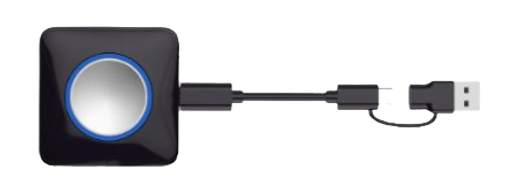
As a Click-to-Share button for wireless presentation, WPS-10 Button realizes screen mirroing of your personal device to the meeting room’s WPS-10 Touch with extended BYOD feature.
USB C DONGLE
Requiring No Network and Installation
For guests who don’t have access to the company network, they can share personal mobile devices wirelessly through WPS-10 Button. There is no requirement for network and software installations. The user-friendly design with one-click to share brings you a hassle-free experience.

USB + Type-C Dual Interface
Multi-compatible system equipment
Interface 2-in-1 for multiple devices


Connection Diagram

· Bring your own meeting
Wireless conferencing with brilliant Full HD camera resolution.
· Easy Screen Share
Laptops can be presented through software client or plugging a Button, while smartphones and tablets connect via mobile App or screen mirroring (AirPlay, Google Cast or Miracast).
· Any Presentation Display
No matter there is a projector, TV or touch screen in your boardroom, as long as the display is with HDMI input, just plug and play to go wireless.


Plug-and-play Simply use
Transmitter features USB and Type-C dual interfaces, while the receiver uses an HDMI interface. Point-to-point connection requires no settings, network, drivers, or apps.
One Click to Share Wirelessly
Cable-free | Two-way touch control
One click and share the screen content of your laptop instantly, WPS-10 Button with wireless presentation system frees you from cables and adapters. It supports touch control from both your personal screen and IQTouch, which brings the greatest convenience to the presenters.

Multiple Content Sharing
Share any files you want. Select the sharing mode as the entire screen or preferred content to ensure privacy. Audio, video, photos or documents can be presented to enrich your meeting room and other interaction.


Bring Your Own Device
Allow you wirelessly share you personal screen, access camera and microphone of the office IQTouch display, and start the video conference using your preferred UC platform (Microsoft Teams, Zoom, Webex).
Easy Pairing

Pairing the WPS-10 Button with IQTouch display by one click as well. No driver is required. Everytime when you want to share your laptop screen, simply plug the button into the laptop, press and present.

Multiple Ideas Presenting
Multiple Click-to Share buttons can be connected and up to 4 personal screens can be shared, presenting various ideas by split screens simultaneously and stimulate brainstorming on one centered display.

Guest-Friendly Sharing
For guests who don’t have access to the company network, they can still present or share wirelessly with their laptops in your office through WPS-10 Button. Network connectivity is not a must for temporary users.


