
%20copy.png)
What is a Wireless Presentation System? The Smarter Way to Share Content in Modern Meeting Rooms

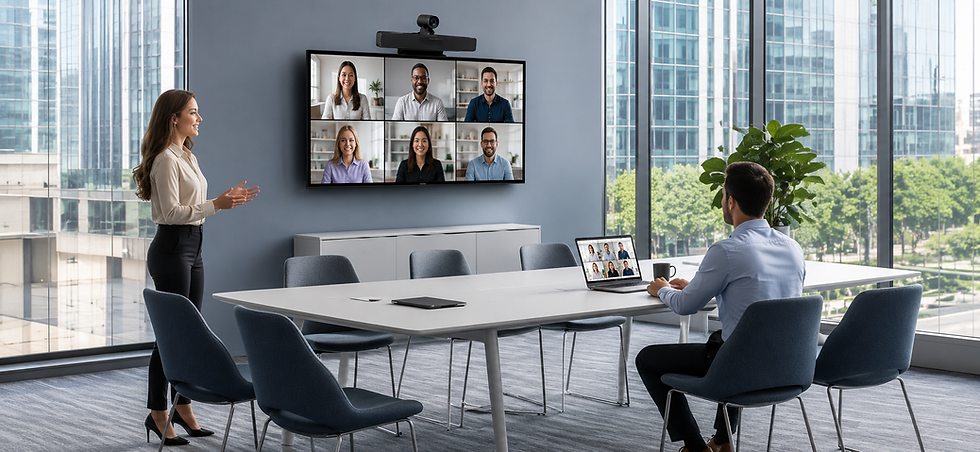
What is a Wireless Presentation System? The Smarter Way to Share Content in Modern Meeting Rooms In today's hybrid workplace, collaboration needs to be simple, fast, and cable-free. Traditional HDMI cables often create delays, compatibility issues, and unnecessary clutter during meetings. That's where a Wireless Presentation System (WPS) transforms the meeting experience.
A Wireless Presentation System allows users to share their laptop, tablet, or smartphone screen directly to a meeting room display or projector—without using HDMI cables. With just one click, presenters can instantly display presentations, documents, videos, or applications, making meetings more productive and professional.
How Does a Wireless Presentation System Work?
A Wireless Presentation System connects to your meeting room display. Users can then share their screen wirelessly using:
USB-C Wireless Dongle
AirPlay (Apple devices)
Miracast (Windows devices)
Web Browser or App (depending on the system)
No complicated setup is required. Simply connect and present.
Key Benefits of Wireless Presentation Systems
1. Cable-Free Meetings
Forget searching for HDMI adapters or tangled cables. Wireless presentation keeps your meeting room clean and organised.
2. One-Click Screen Sharing
Share your screen instantly without wasting valuable meeting time.
3. Support for Multiple Devices
Compatible with Windows laptops, MacBooks, Android devices, iPhones, and tablets.
4. 4K Ultra HD Display
Present crisp images, spreadsheets, videos, and presentations in stunning 4K resolution.
5. Multi-Screen Collaboration
Many Wireless Presentation Systems allow multiple users to share content simultaneously, making brainstorming and collaboration easier.
6. BYOD & BYOM Ready
Employees can bring their own devices (BYOD) and use their preferred video conferencing platform (BYOM), including Microsoft Teams, Zoom, Google Meet, Cisco Webex, and more.
7. Enhanced Security
Enterprise-grade encryption ensures secure wireless content sharing in corporate environments.
Where Can Wireless Presentation Systems Be Used?
Wireless Presentation Systems are ideal for:
Corporate Meeting Rooms
Huddle Rooms
Boardrooms
Conference Rooms
Training Centres
Universities & Schools
Government Offices
Healthcare Facilities
Auditoriums
Co-working Spaces
Why Businesses Are Switching to Wireless Presentation
Modern businesses want meetings that start on time without technical issues. Wireless presentation systems eliminate cable limitations, improve collaboration, and provide a professional meeting experience for employees and visitors alike.
Whether you're conducting sales presentations, training sessions, client meetings, or hybrid conferences, wireless screen sharing improves efficiency and keeps everyone connected.
Why Choose LatenTech AV Wireless Presentation Systems?
LatenTech AV Wireless Presentation Systems are designed for today's smart workplaces, offering:
True 4K Ultra HD Wireless Presentation
One-Click Wireless Sharing
USB-C Wireless Dongle
AirPlay & Miracast Support
Multi-Screen Collaboration
BYOD & BYOM Compatibility
Enterprise-Level Security
Plug-and-Play Installation
Reliable Low-Latency Performance
Compatible with Zoom, Microsoft Teams, Google Meet, and Cisco Webex
With LatenTech AV, your meeting room becomes smarter, cleaner, and more collaborative.
Conclusion
A Wireless Presentation System is no longer a luxury—it's an essential collaboration tool for modern businesses. By removing cables and simplifying content sharing, organisations can improve productivity, encourage teamwork, and deliver seamless meeting experiences.
If you're planning to upgrade your meeting rooms, LatenTech AV Wireless Presentation Systems provide the perfect combination of performance, reliability, and ease of use.


Comments